Step 2: Rate the forum
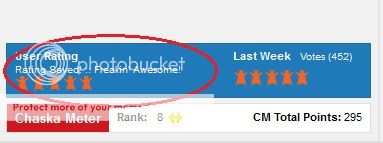
After rating, it should look like this:
Step 3: Make the forum Pink!
Keep a look-out for sticky topics. They might contain important announcements, forum activities such as GOTW/DOTW; rules, daily updates, etc.
When a thread is opened, it's blue. Such threads are known as normal topics. You need to make those threads pink! A thread becomes pink by either more than 25 comments or more than 250 views. So start commenting on the topics! This counts towards the 'activity' and 'views' section of CM rating.
Step 4: Cast Ranking
Join
Simply click on their names. They will take you to their profiles.
Comment on everything and anything you see! Their photos, profiles, articles they are tagged in, video's, interviews, and more! View their profiles and join their fan clubs. Each member can do this TWICE a day! Keep in mind, if you are such a member who comments on more than 4 cast members of the show, then you will have to wait for at least 1 hour gap. After commenting on 4 profiles, give a break of an hour and then only it will allow you to comment on more profiles.
Like FB like buttons and google plus buttons if you got the respective accounts.
Step 5: Forum Activity
Comment here :
Photo-gallery,News and Videos section of the forum
Make interesting topics related to the show - preferably humors and creative.
Dont copy others content or same topic.
When you open a discussion or topic, revisit your topic and comment on it.
You will need to come up with attractive topic which will encourage the regular and non-regular visitors to participate in the discussion.
Its not necessary to post many topics, try to make a topic which interests all which will increase the view count and comments.
NO BASHING - SERIOUSLY STRICTLY NO BASHING OF ANY ACTORS/CHARACTERS. It will only spread negativity and increase your warning levels.
If you get angry or aggressive with any scene or actor or character do share - but in a humorous or sarcastic manner which will let you outburst and you discuss this with others on a positive note.
If you have doubts or questions, do ask them. Use Help Desk, PM others - avoid opening topics for small questions.
If you think you are good at writing - Do write Os/SS/FF - people definitely would love to read.
Dont just post pics or creations in new threads. If you are doing, make sure you add some content to it - topics with just pics will get closed.
Comment on articles of show and actors - 3 comments are allowed - dont copy paste comments.
Share your topic link if you got FB, twitter or any other accounts.
Participate in games and contests in the forum.
Be part of chat clubs, fan clubs - it help you make friends.
Having more members in forum (read more ID's) participating will also help increase the forum ranking.
Any other bits feel free to add to this thread for the benefit of all😳
*Courtesy : Sunshine_A,Aanchal, Khushi & Naz































 Anupamaa
 Sports

