





Posted:
Okay now I have to declare this. Krishna is the one who makes Pinto to do the eye-talking, because Krishna does eye-talking even with her Guruji and her family. 😆 😆
I liked the scene from yesterday's episode where everyone leaves the function place. Babloo gets on to the stage, verifies the result. Apni tasalli karne! At that time Krisha is congnizant of what Babloo is doing and she waits on hard to know if she gets the news that she wants to hear.
I liked the scene from yesterday's episode where everyone leaves the function place. Babloo gets on to the stage, verifies the result. Apni tasalli karne! At that time Krisha is congnizant of what Babloo is doing and she waits on hard to know if she gets the news that she wants to hear.
Alas! Babloo comes, holds her and has that eye-talk and he answers her question on factual basis through his eyes. Bas kya tha, she comes out of her shock and starts thinking and now she wants to validate the news by herself.
The way she was walking quick, enters cybercafe, and then finally the way she looks at her sister, then her brother, then goes out, sees her father, then mother and in these gazes, she is the one who tells them through her eyes that yes, news is correct.
She may not believe it in her heart yet, but her mind registered what she had to accept as a fact.
This whole thing was well-directed. Kudos!! Not a single dialogue from Krishna today and yet lot of key communication with her eyes.👏
And I think she did this today with Pinky as well...
And I think she did this today with Pinky as well...






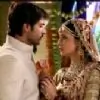


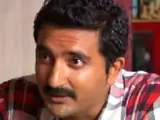


 Mr And Mrs Parshuram

