
BANTWARA CUT 21.12
KRISH AT THREAT 22.12

Meethichuri Bani Vamp
The Post leap episodes have been very disappointing

Ranveer Singh surpasses Ranbir Kapoor

🏏India U19 vs Pakistan U19, Final ACC Men's U19 Asia Cup 2025🏏
Awards Navri actually deserves
New promo: Noyna sees Tulsi
MG-Ankhiyan Gulaab-(New Fiction)-21/12/25.
🏏India Women vs Sri Lanka Women, 1st T20I S L W tour of India 2025🏏

The Star With Sparkling Smile:: Aditya Srivastava AT # 26
Originally posted by: rumii_xox
reena, i think that tut can be done in PS .. i'm going to try it 😛
oh is it? hehe oki 😳
21. I will add some brushes now.
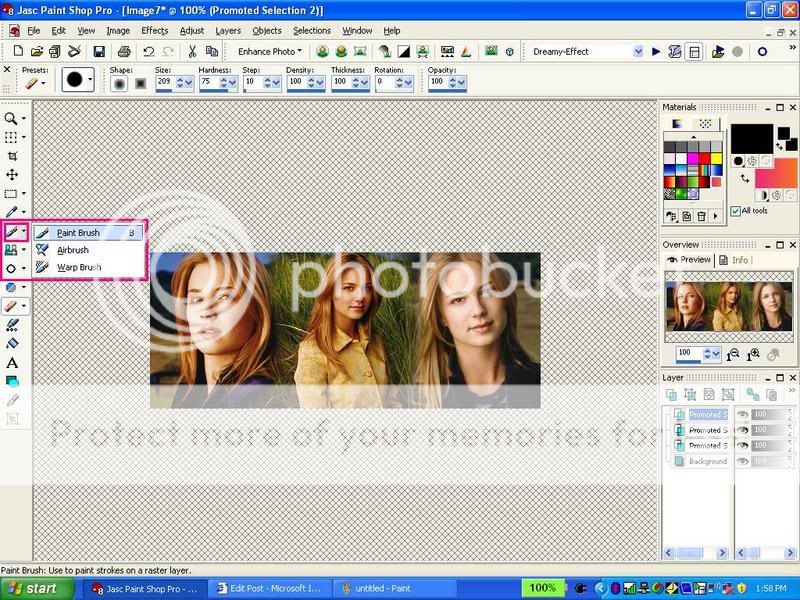
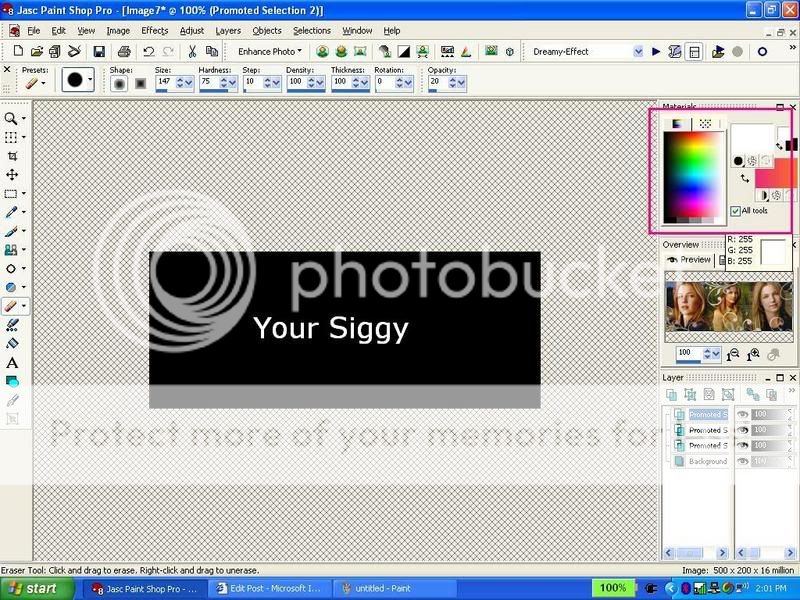
22. Select your brush tool:
23. Choose your brush color from your materials palette (i will choose white)
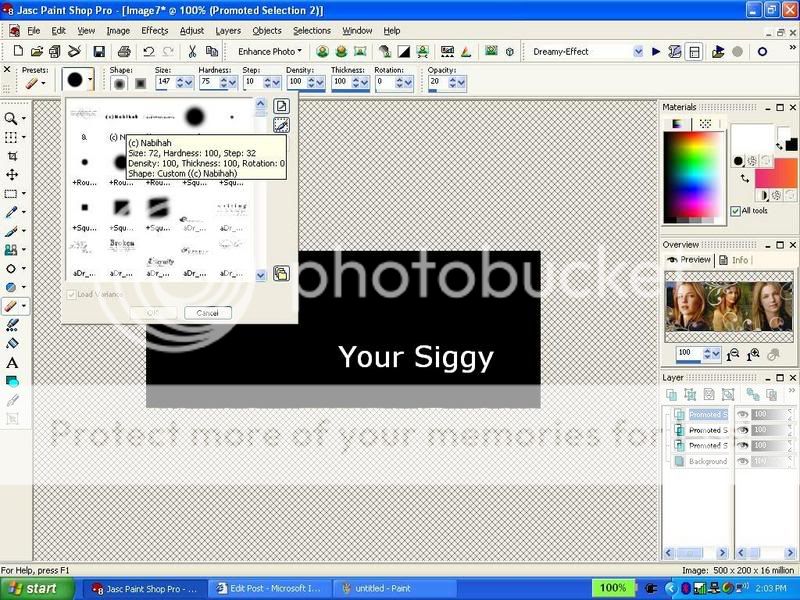
24. Choose your brushes from here: (i added most of my brushes..if u r a starter u probably have the normal brushes that PSP came with. You can use those.)
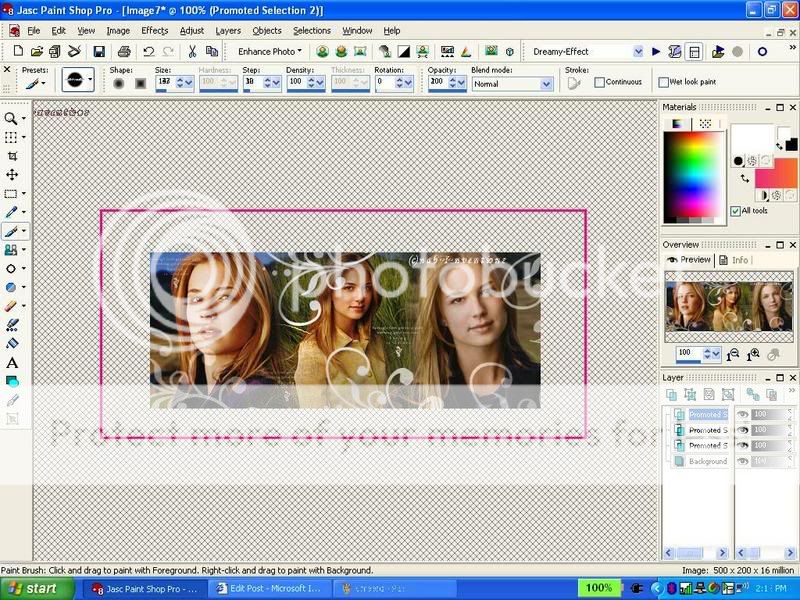
25. Add your brushes. where you want..this is what i got using the brushes i added...as i said b4 u can use the strters ones too. (i put a copyrite brush on there i made)
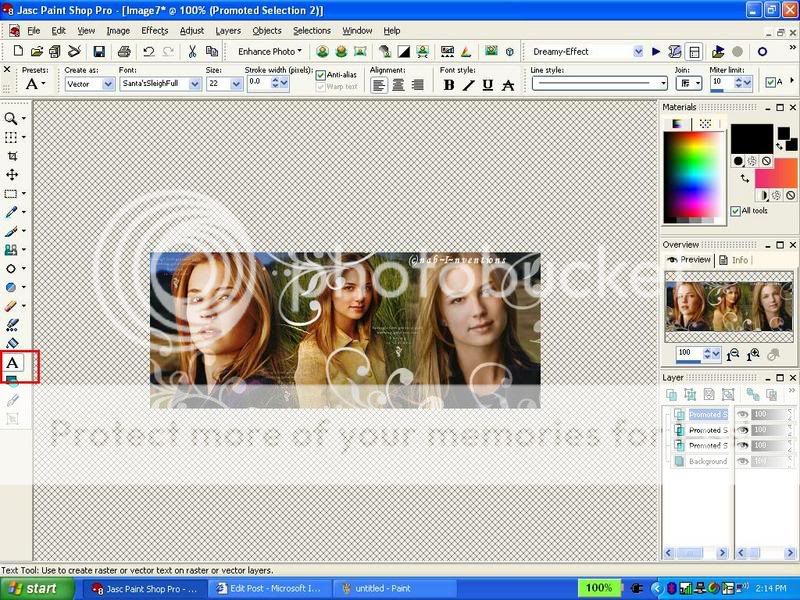
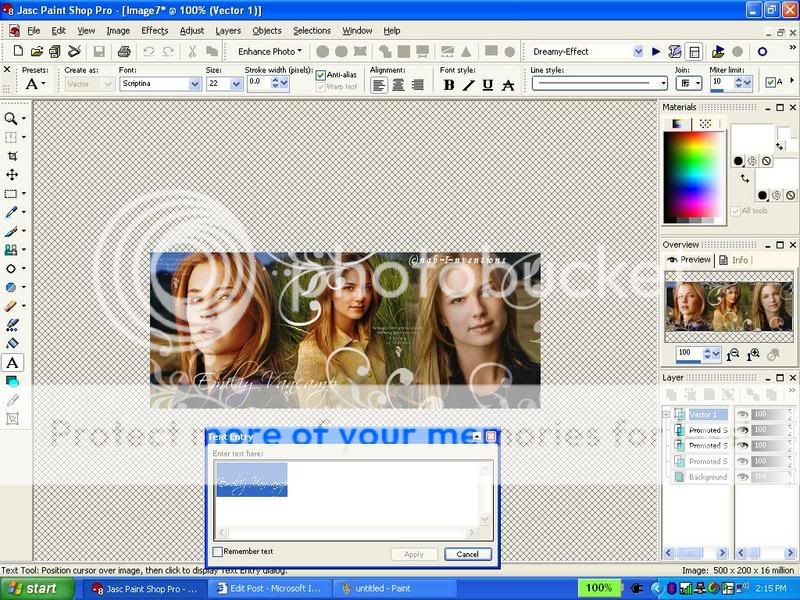
26. Now i will add text: choose your text tool:
27. Type you text..selct the text and choose he text color and font and font size...click apply...you can also move ur text in different places...u can slant it etc...
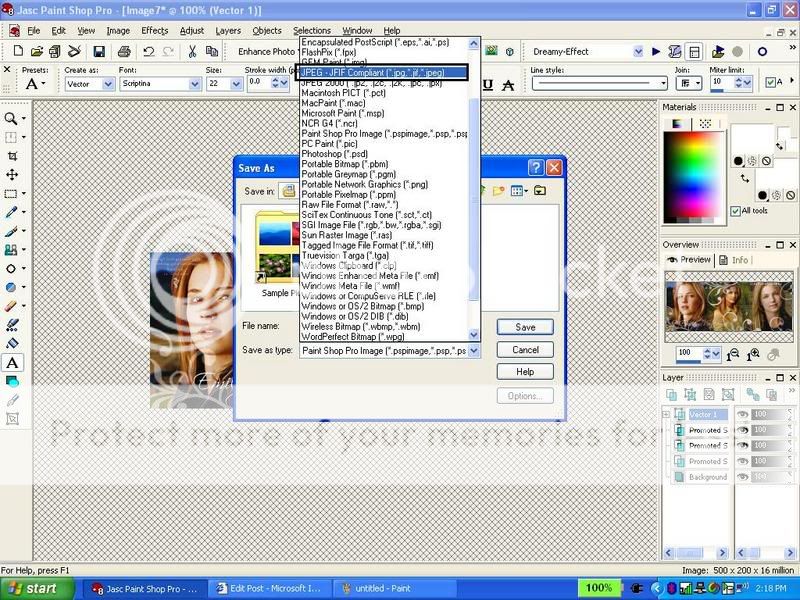
28. press f12 or save as under file and save it: type ur name...but change the file type into a ----.jpg... (there are two jpg choices , choose the one i highlighted....
29. 👏AND YOUR DONE!!! CONGRADULATIONS! YOU HAVE MADE YOUR 1st SIGGY!👏
30. Now upload your siggy and share it with me and everyone here!
Tips:
1. You will definately improve as you make more sigs just like me!😳
2. Brushes are a little bit more for advanced and experienced PSP users...beginers can use it after they are a little more familiarized with PSP
3. Dont care that much about the appearance of the siggy! its the effort that counts!!!!!
4. ALWAYS! ALWAYS! add ur copyright sign either using text tool or brush!
Palette/Toolbar tips:
how to see your layer palette: view>palettes>layers
how to see your toolbar: view>toolbars>tools
how to see overview: view>palettes>overview
Have FUN!
did this help?
p.s. this tutorial is copywrited so please dont claim it as ur own!
~Nabihah...
Hey, Thanks for the tutorial! it really helped me😃
btw....i loved the brushes you used, where did you add them from😛? because i cant find the type of brushes i want...=]




hey guys if i send my nd mah friends pic ....can u make siggy of dat??? cuz i dynno how to do it myself
u need to requests in the shops which are opened 😊
Tutorial: How to make the text "non-squishy"
*credit while using, made especially for Asha004*All comments are highly appreciated, here: http://www.india-forums.com/forum_posts.asp?TID=871135&T PN=97�
It says the Picture has been removed or deleted.






This is a thread where you all can share everything anything, be it be a Tutorial, PSD, Suggestions, Textures, Animations, etc Try and avoid too...












 Seher Hone Ko Hai


850