
Kyunki Saas Bhi Kabhi Bahu Thi 2: EDT # 6

BANTWARA CUT 21.12

Dhruv Rathee to bring another 100cr for Dhurandhar
New Entrant - Swati Sharma of YHC fame
Meethichuri Bani Vamp
“Akshaye Khanna overshadowed Ranveer in Dhurandar”

🏏India U19 vs Pakistan U19, Final ACC Men's U19 Asia Cup 2025🏏
The Post leap episodes have been very disappointing
Kangana Ranaut Praises Dhurandhar
KRISH AT THREAT 22.12
🏏India Women vs Sri Lanka Women, 1st T20I S L W tour of India 2025🏏


I HAVE TRIED EVERYTHING....BUT IT DINT HELPED ME,,,PLZZZZZZZZ CAN ANY ONE GIVE ME A DIRECT LINK????OR CAN ANY ONE SEND ME PSP8 THROUGH yousendit.com ???
my id iz kzkfan@hotmail.com
thanks in advance
sonia:)
the only way u can get psp8 for forever is if u download it frm kaaza or limeware but be4 u do that just make sure u have a good virus blocking prog ull get a lot viruses from those kindaa sites
the tut is great but if u can next time whn u post a tutorial jus post the links instead of showing the whole pic. it will take less loading time for ppl that dont have dsl or cable . 😊
Hey guys some ppl were looking for a how to make a vidoe avi tutorial...so i thought of making one...here is how:
How to Make a Simple Video Avatar:
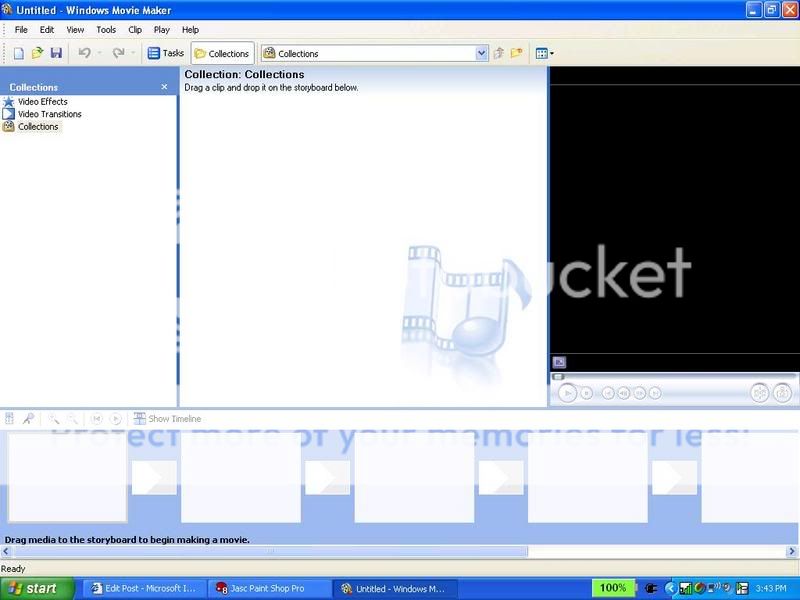
1. Open Windows Movie Maker (shud come with all computers or you can download it for free at )
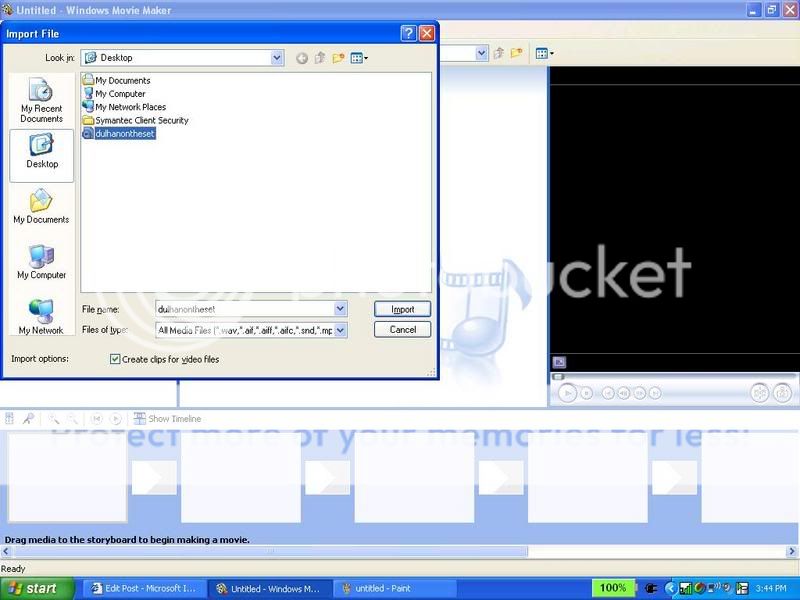
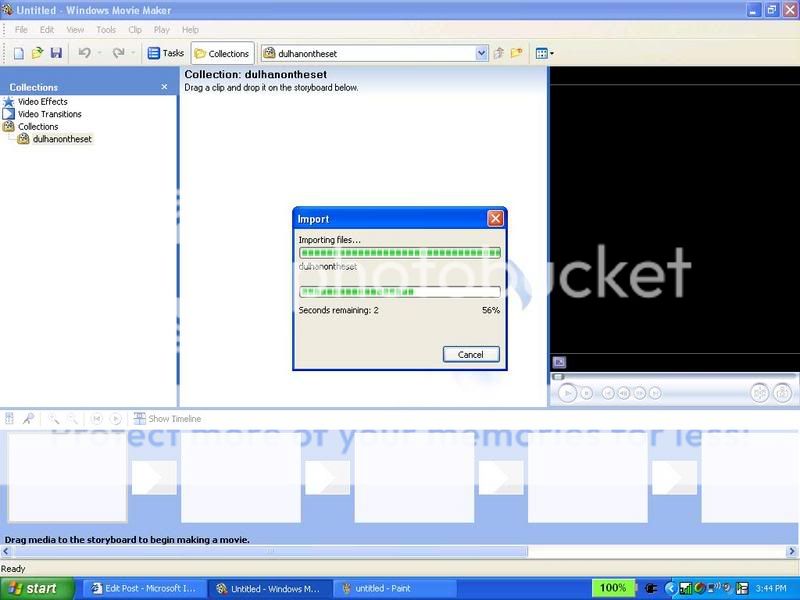
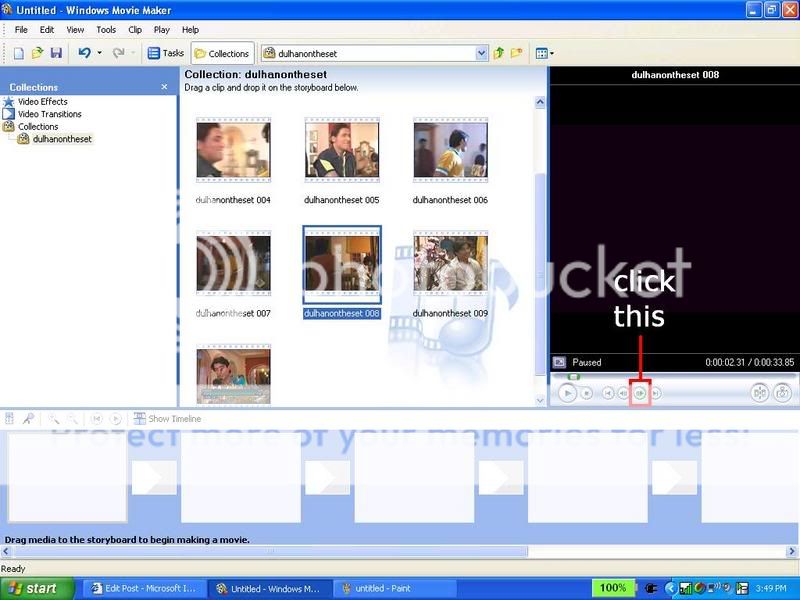
2. Import the video you want in your video avi (ctrl+I) choose the file and click import. something like the second pic shud come up
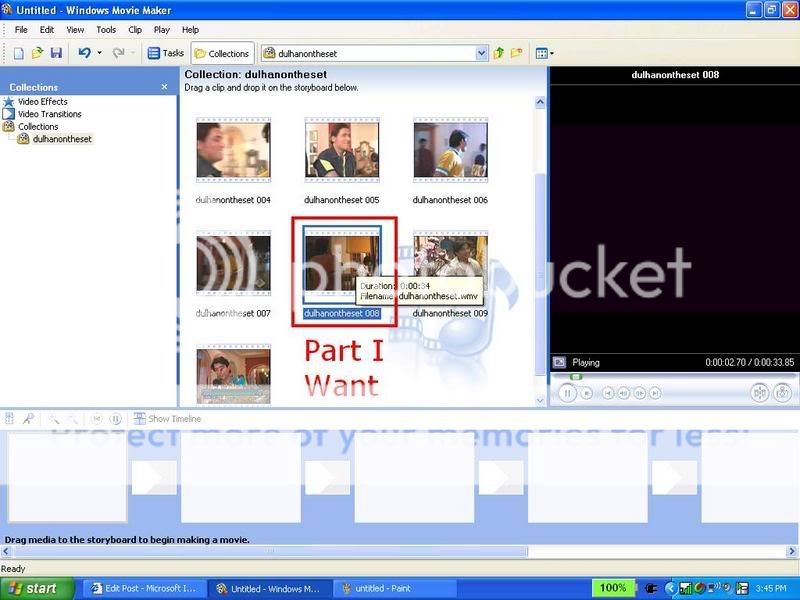
3. then find the part you want in your avi. click on that clip
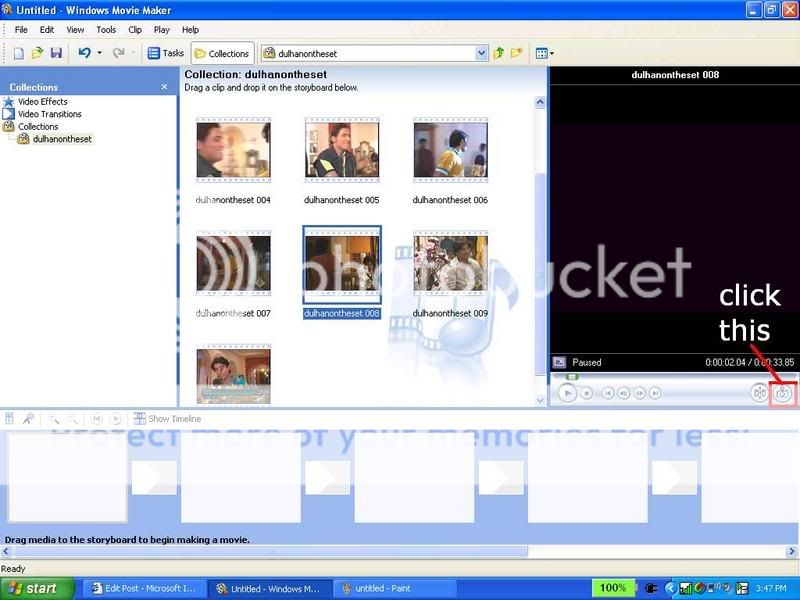
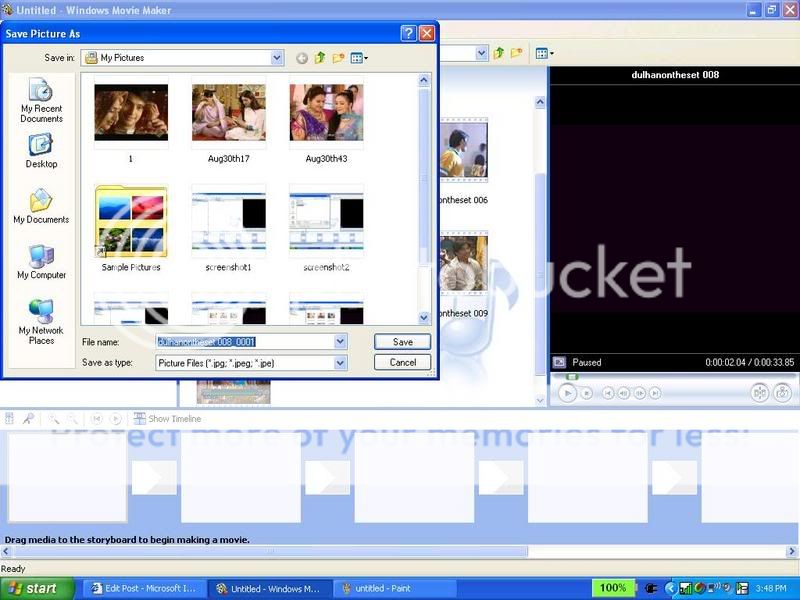
4. now click this button: and save your pic (keep the name they give you)
5.then click this button only once
6....and click that camera button to save that picture.. (same you did with step4)
7. Repeat steps 5-6 until you get all ur videoshots
8. You can close windows movie maker if you want now
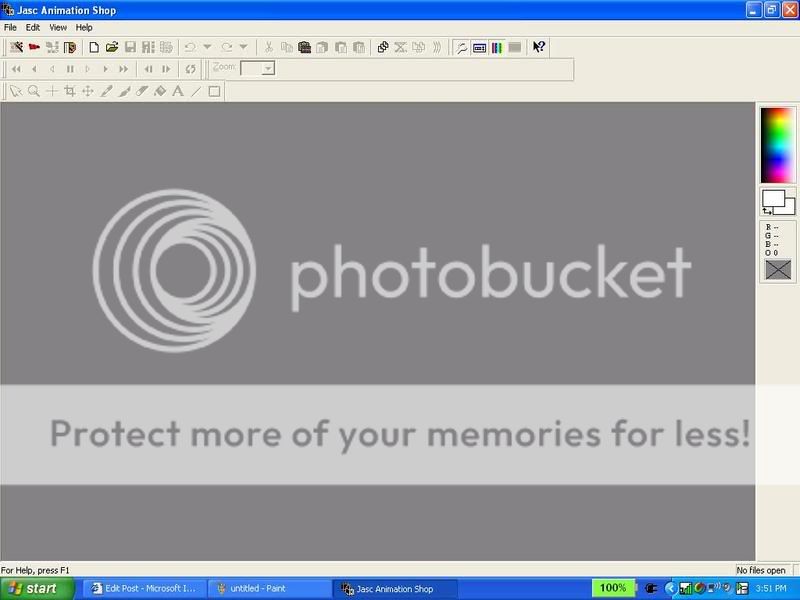
9. Open animation shop
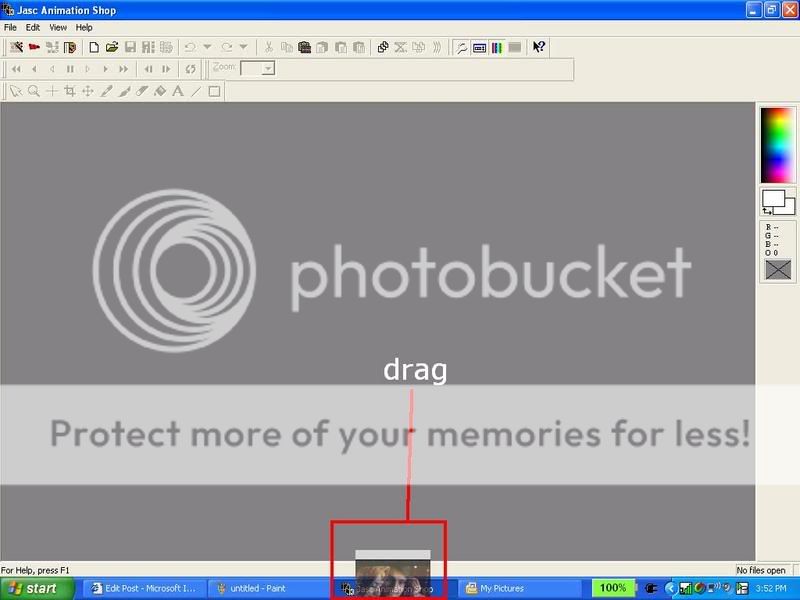
10. Drag the 1st pic of your video avi onto the animation shp screen
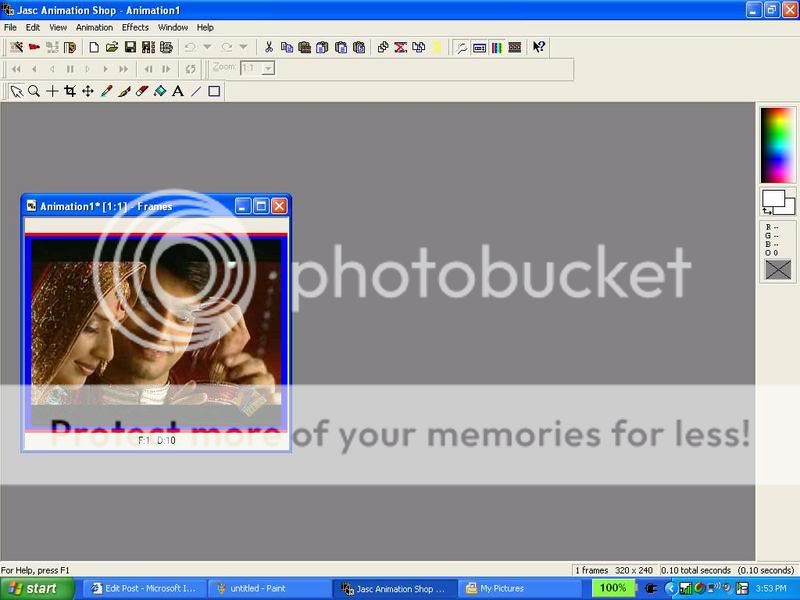
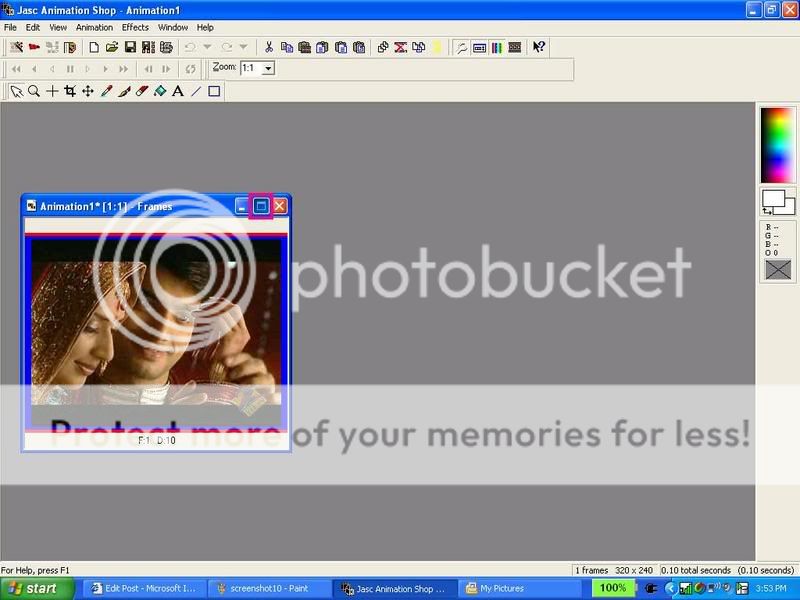
11. It shud come up like this:
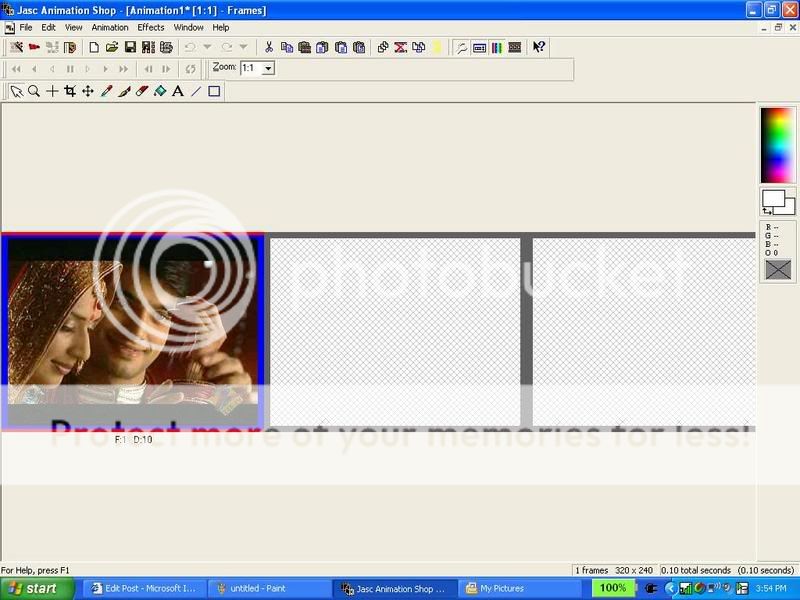
12. now maxamize that animation by clicking this:
13, shud come up like this:
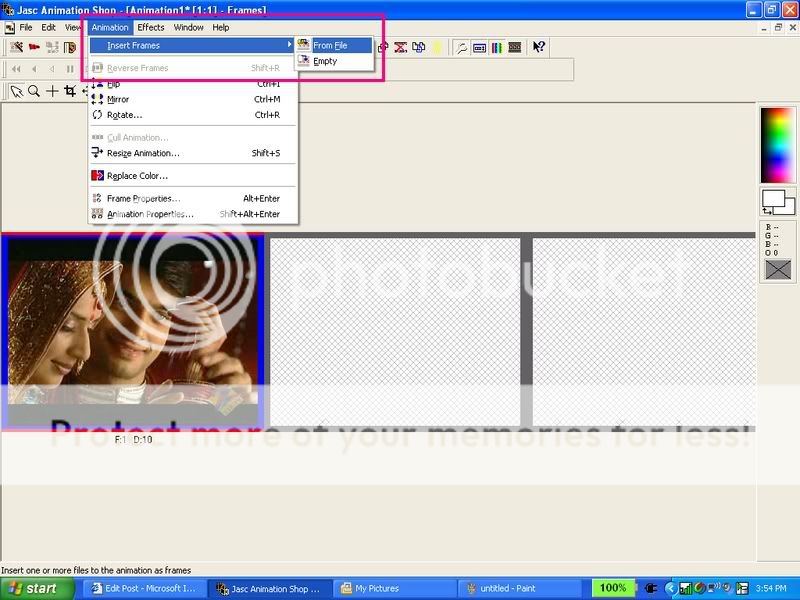
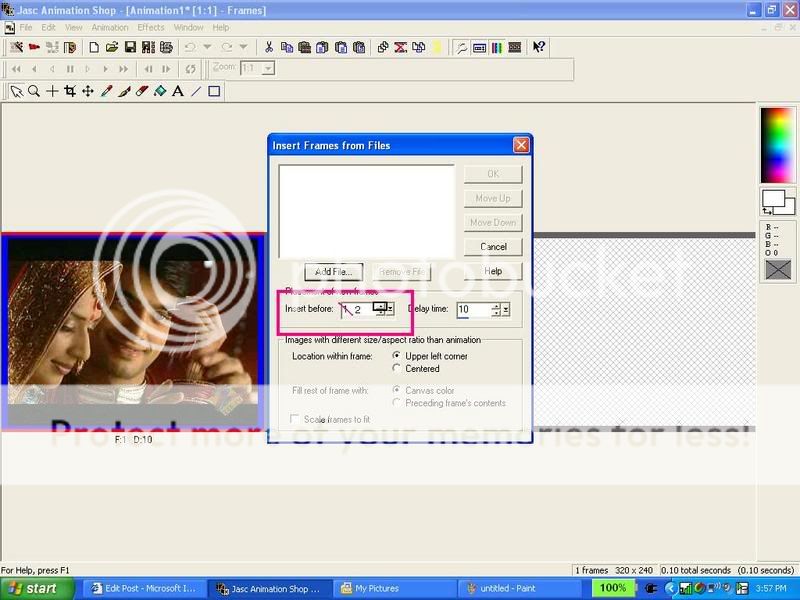
14. now go to animation>insert frames>from file
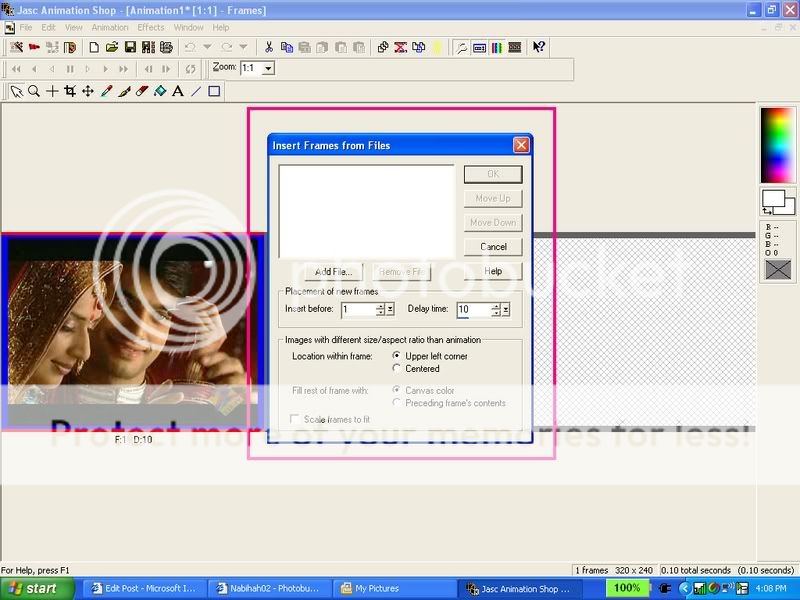
15. then something like this shud come up: click add files.
16. add all the pix u captured from the video except the one you dragged
17. then go to insert frames after: and chnge it to 2
18. click ok
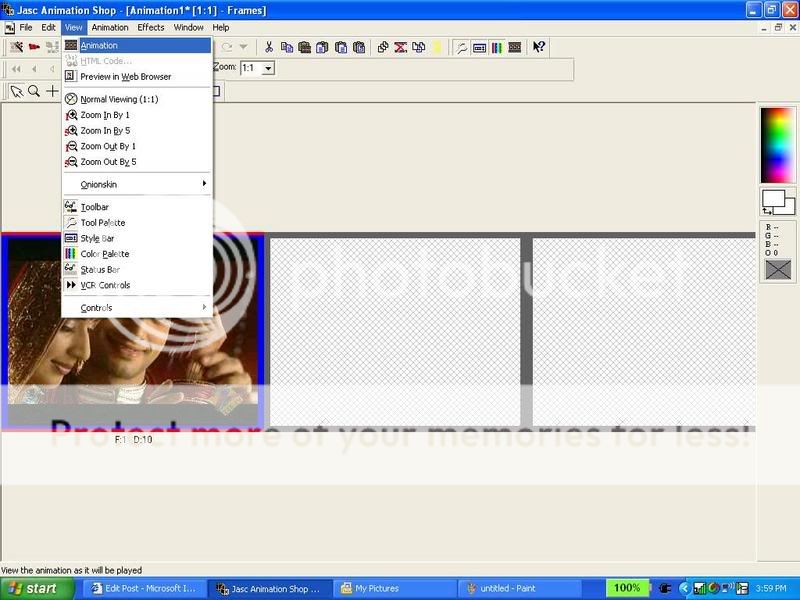
19. view ur animation
20. Save it
AND YOUR DONE!!!!!
Tips:
1. How to open windows movie maker if you dont know how:
my computer>C drive>program files>movie maker> moviemk
WMK shud opn now. If it still doesnt thn download it from
2. You can add text and borders and animation effects to ur avi but i wud suggest not to if you are a beginner .
3. you cna resize your animation by pressing shift+s (not ctrl)
4. Ask me for n e ques...😃
~Nabihah

the ans to the first one i dont know if this is similar or not but ill try it
Ill b using this pic of rani http://gallery2.efanguide.com/~rani/albums/userpics/10006/ra niiii.jpg
1. Copy and paste that pic into psp.
2. Go to Layers, and Duplicate.
3. Go to Adjust, Brightness and contrast, and clik on threshold.
4. Set your Threshold setting to 128.
5. Go to Adjust, Blur and then clik on Gaussian Blur.
6. Set the Radius to 5.0.
7. Go to Layers -> Properties -> Blendmode -> Soft Light.
8. Go to Layers and Merge All.
and you should be done with the glow now.
herez wat the final pic looks like
if you get confused somewhere just ask 😊
Thanks so much That was very very much appreciated! Your a genius! Bless! Lol :D
Now please can someone answer my 2nd question about the flashing lights pls?
some1 said it was a brush
Thanks so much That was very very much appreciated! Your a genius! Bless! Lol :D
Now please can someone answer my 2nd question about the flashing lights pls?


Hi, Ok, i dont know how to do the animated text, but I can tell U the font, its Script MT Bold. Some people already have it on there computer...
thank u soo much!



This is a thread where you all can share everything anything, be it be a Tutorial, PSD, Suggestions, Textures, Animations, etc Try and avoid too...















 CID
CID


850