nope in my view...
i havent come across with anyone better or similar to this
mostly others online image editors will just allow you to have ur selected pic in there selected frame...so no choice there...
pixlr is by far the only one for me
Bigg Boss 19: Daily Discussion Thread - 4th Dec, 2025
REVISION OF YRKKH 4.12
KAVERI IS BACK 5.12
Yami calls out the PR against Dhurandhar and Hrithik supports.
Let's talk Gen 3
Trp's crashed : Forced to change storyline
Kaira Memory ❤️
Noyna ‘Sarabhai’?!!
Aishwarya Rai Bachchan at the Red Sea Festival
Shah Rukh Khan and Kajol statue unveiled in London- video
India Entertainment awards - Bollywood Hungama Kriti Vicky Ahaan Aneet
nope in my view...
i havent come across with anyone better or similar to this
mostly others online image editors will just allow you to have ur selected pic in there selected frame...so no choice there...
pixlr is by far the only one for me
another help i need
how can i blend a number of images i mean around 9-10 or more than that perfectly...
i can blend 5-6 images perfectly but later on the lines appear between the upper and lower pics...and some one's looking coming out...
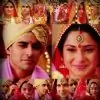
see this one i made...and i m pretty not happy with this
how can i make something like
Can Anyone tell me How to edit Topic???
Originally posted by: SBSRocks
Hi -Mahi-😃Making VMs are totally easy but you have to have patience..😉 I just tried my first Vm few days ago.. take a look😳 & do comment😳[YOUTUBE]http://www.youtube.com/watch?v=2McmstqcQGs&feature=youtu.be[/YOUTUBE]I use Windows Live Movie Maker to make my VMs😃 Really helps to trim out video parts👍🏼 You just need to download your videos from youtube and then upload it to the app and trim the start part and the end part.. then keep on going.. Add a title, then an ending😉 If you just want to do with images, do the same. upload your images, put it in right order. Add a title, ending part, credits or anything you want😛 You can also play with the brightness & contrast😃 It will come out as very beautiful.. Don't forget to also add song to your VM😳 hope it helpsIf you want to downlaod Windows Live Movie Maker: http://windows.microsoft.com/en-CA/windows7/products/features/movie-maker
Originally posted by: SBSRocks
</div><font face="Comic Sans MS, Times, serif">Hi Sruthi_Virmanli😃</font><font face="Comic Sans MS, Times, serif">I am confused about your problem?! What do you want : your image or the video avatar?!?</font><font face="Comic Sans MS, Times, serif">Be sure that you put in the right link in the box because sometimes, it's because of that, you can have problems viewing what you have put!!😉</font><font face="Comic Sans MS, Times, serif">You need to copy and paste the link of the video avatar.. I mean the Direct Link😉Hope it helps or is it me who is completely confused??😆</font>

<div>
Hey friends Welcome to Questions Queries Corner Please post all your questions queries here instead of making new topics. If any "help" topics...
Anim a t e d N o nAn i m a t e dR e qu e sts Wanna get your request done without waiting for too long? Well then this is the place to place your
378