

Vivek Dahiya Bids Farewell to Raj From Qayamat Ki Raat & We Want to Say 'Tussi Na Jao'
*sad face*
Published: Wednesday,Dec 26, 2018 18:31 PM GMT-07:00

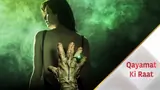
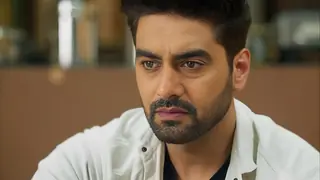
 Vivek Dahiya is one of the handsome hunks of small screen at this point. The actor is currently making heads turn with his show, Qayamat Ki Raat Hai. The show is one of the popular shows of television and has been raking in numbers since it went on air. Thus the makers are determined to keep their TRP game on point. Well, you all know change is the only constant thing and so the makers have decided to bring the reincarnation track. And so Gauri played by Karishma Tanna and Raj played by Vivek will die, just to return in a different avatar. Yesterday, Vivek shot last as Raj and bade farewell to the character.
Vivek penned a heartfelt note and wrote, "And that's the end of "Raj" someone who I really got used to playing in the past 9 months. I lived and breathed him 12 hrs/day; sometimes more when I would dream being him' and always attempted to feel the correct amount of responsibility for his existence. It's bizarre how this amalgamation happens between your real self and your onscreen character. You end up creating a "khichdi" of sorts. There are a couple of things that were really inspiring about him and I gave my best to him regardless but end of the day he was merely a pawn in the hands of our writers. So RIP Raj! @starplus #QKR #QayamatKiRaat"[sic]
Check it out here...
https://www.instagram.com/p/Brxk3gBFfEo/
Well, we can't wait to see Vivek in his new avatar. Are you excited? Let us know in the comments below...
Join Our WhatsApp Channel
Stay updated with the latest news, gossip, and hot discussions. Be a part of our WhatsApp family now!
Join NowYour reaction
 Nice
Nice Great
Great Loved
Loved LOL
LOL OMG
OMG Cry
Cry Fail
Fail




Related News









2 Comments