

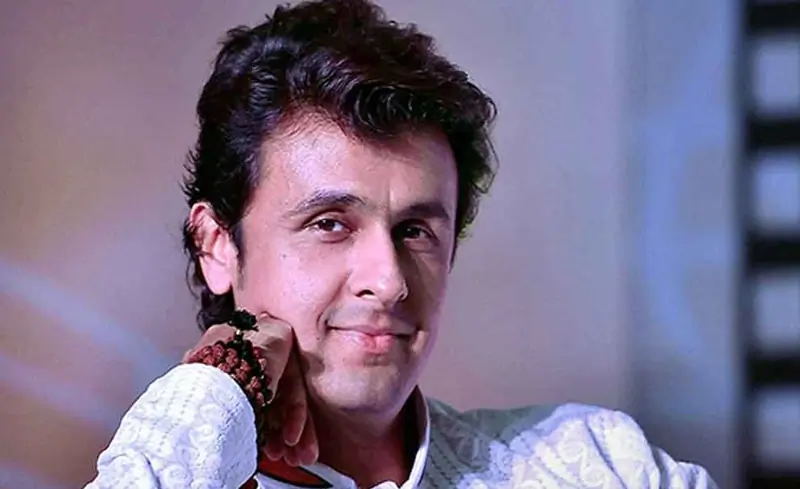
Sonu Nigam lends his voice for Star Plus Namah
This is the first time ever in the history of television where a show will narrate the tales of friendship between the two Gods and thereby maintain nature’s balance...
Published: Thursday,Sep 19, 2019 09:57 AM GMT-06:00

Star Plus is all set to take audiences on a trip of the never heard tale of friendship of two unique entities and divinities, the two gods from Hindu mythology - Shiva and Vishnu. This is the first time ever in the history of television where a show will narrate the tales of friendship between the two Gods and thereby maintain nature’s balance.
With this unique proposition, Star Plus sets new notes of devotion with beautiful 8D renditions of three two beautiful tracks dedicated to Shiva & Vishnu. Known to give mythology a refreshing angle, the channel has associated with legendary singer Sonu Nigam to lend his voice for the track. The song has been crafted beautifully with soulful lyrics and who better than Sonu Nigam to sing for Lord Vishnu.
The track has been composed by Puneet Dixit who has created multiple songs for various television shows. This is also the first time, Sonu Nigam has recorded a 8D audio track. 8D audio is essentially an effect applied to a stereo track where songs have been edited with special reverb and mixing to make it seem like the audio is moving in a circle around you.
This experience can only be achieved by wearing headphones and creates the illusion of a 360-degree space. The makers have chosen this special audio technology to heighten the delight factor amongst audiences all over as they delve into the unseen story of the two Hindu deities.
Join Our WhatsApp Channel
Stay updated with the latest news, gossip, and hot discussions. Be a part of our WhatsApp family now!
Join NowYour reaction
 Nice
Nice Great
Great Loved
Loved LOL
LOL OMG
OMG Cry
Cry Fail
Fail





Related News











1 Comment