

Kidnapping drama next up in Sony TV's 'Dil Hi Toh Hai'
To the know the entire drama...read on.
Published: Wednesday,Jul 25, 2018 17:40 PM GMT-06:00

It's all about hearts breaking in Sony TV's Dil Hi Toh Hai. Where on one side Ritwik (Karan Kundrra) and Palak (Yogita Bihani) are seen separated due to misunderstandings, Setu's (Asmita Sood) ex-husband Kabir (Manoj Chandila) becomes the reason for Ritwik breaking up her engagement with Rohit (Krishna Shetty).
And after Rohit bashes Ritwik, he realises that he has broken up Rohit and Setu's engagement, he runs to ask Palak to help him out and she reluctantly agrees.
In the meantime, Palak and Ritwik find out that Rohit's father did not have an issue with Setu being a divorcee but because her father did not sign the documents he'd wanted him to. Ritwik and Palak tell Rohit and Setu the same, who then decide that they'll elope and get married, with Ritwik and Palak's help.
Even though Ritwik and Palak try to convince them that it's all wrong, Rohit and Palak run away from home. Back at their respective homes, both families are seen blaming each other for their kids having gone missing.
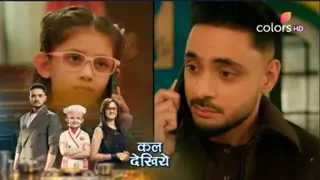
However, more problems and confusion befall the four of them when Palak and Setu are kidnapped by goons from the temple when they learn that they belong to a rich family. Rohit and Ritwik learn about the same and go in search of the girls. But soon enough, Palak and Setu escape from their clutches.
How will this drama end now?
Join Our WhatsApp Channel
Stay updated with the latest news, gossip, and hot discussions. Be a part of our WhatsApp family now!
Join NowYour reaction
 Nice
Nice Great
Great Loved
Loved LOL
LOL OMG
OMG Cry
Cry Fail
Fail







Related News














24 Comments