

Big twist: Veer turns evil in Hero: Gayab Mode On
Here’s what’s in the store for the viewers of Sony SAB show ‘Hero: Gayab Mode On’.
Published: Tuesday,Aug 17, 2021 11:02 AM GMT-06:00


Sony SAB show ‘Hero: Gayab Mode On’ is getting quite interesting with each passing episode. In the previous episode, as Zara sacrificed herself to get the amrit, Bantu and Amal were left broken by the incident. Veer manages to save the earth by taking the halahal inside the ring but in the process, he loses Shivaay to another realm all together and he has his last moments with Zara too in a dream sequence where they tell each other about their feelings.
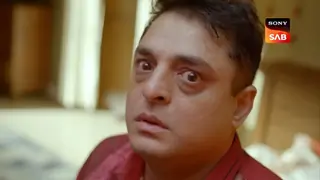
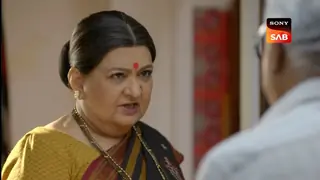
In the upcoming episodes, Veer stops as he listens to his father’s voice and doesn’t understand what happened to him. It will be revealed that Shukra is happy and that he has succeeded in doing what he wanted to do. He wanted Veer to wear the ring as the ring has the halahal inside of him which will make him evil. Sandhya, the mother comes in front of the entire family and they have a re-union but Veer asks her to go away and that they don’t need her now. No one understands what is happening to Veer and why is he reacting this way.
For the uninitiated, actress Yesha Rughani aka Zara has quit the show and soon actress Tunisha Sharma will be seen opposite Abhishek Nigam in the show.
‘Hero: Gayab Mode On’ is produced by Peninsula Pictures and has a stellar star cast including actors like Abhishek Nigam, Surbhi and Samruddhi Mehra, Keshav Sadhna among others.
Join Our WhatsApp Channel
Stay updated with the latest news, gossip, and hot discussions. Be a part of our WhatsApp family now!
Join NowYour reaction
 Nice
Nice Great
Great Loved
Loved LOL
LOL OMG
OMG Cry
Cry Fail
Fail



Related News












Post a comment